laptop GPS

A forum for discussing topics relating to MacGregor Powersailor Sailboats
User avatar
c130king
Admiral
Posts: 2730
Joined: Sun Nov 05, 2006 5:30 pm
Sailboat: MacGregor 26M
Location: Wiggins, MS --- '05 26M "König" w/ 40hp Merc
Contact:

Re: laptop GPS

Post by c130king »

opie wrote:...For me, SeaClear is for the patient, the geeky and the cheap. I qualify on all three. ...
Me too. Thanks again for the tips on using SeaClear. Sounds like the GoogleEarth to .bmp to SeaClear is not worth the effort.

And like I stated earlier SeaClear is only a "mission planning" tool for me...one of many to include ActiveCaptain.com, Microsoft Streets & Trips, and some tide & weather programs. Once on the water I use a Garmin chartplotter for navigation and tide info and get weather from the VHF.

But for my future cruising plans I will take the laptop (or it's replacement...possibly a netbook) with me and use 12-volt power to run it...but not for active navigation.

Cheers,
Jim
User avatar
Sumner
Admiral
Posts: 2375
Joined: Sun Jan 04, 2009 3:20 pm
Sailboat: MacGregor 26S
Location: SE Utah
Contact:

Re: laptop GPS

Post by Sumner »

opie wrote:..................-- A nautical chart from NOAA can cover Charleston SC to Florida in only a few hundred thousand bytes. The bmp image above is over 1.7 meg and shows only 1/4 mile. Plus NOAA charts are scale-able. I can zoom in and out to look at details with NOAA but with the above captured bmp image I can not zoom in or out without losing all detail and going pixelated.............
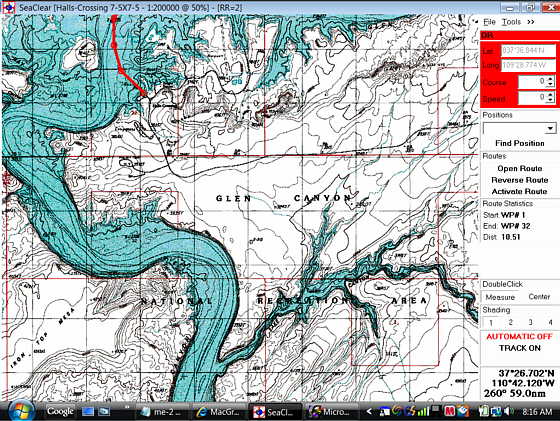
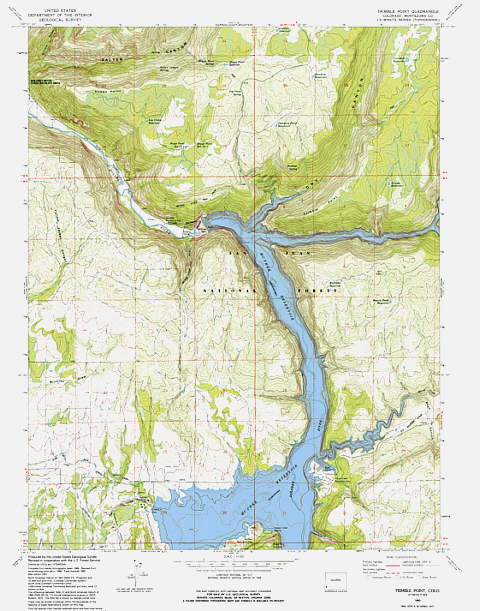
Opie some good observations, but if you don't mind let me throw a few other options out there. I can see where trying to use google earth could create some really large files, but I don't find that to be the case with the USGS topo maps. I've been using the 7.5 X 7.5 topos and ending up with file sizes of about 25 megs with them. When I can get a 320 gig drive for under $75 I don't see the memory being a real problem. Here are some screen shots of a map I did last night. Remember these pictures even if you click on them and enlarge them are still smaller than even a 9 inch monitor (unless on your computer they measure that). On the monitor they are quite a bit larger than a 4 or even 5 inch diagonally measured screen and way larger than anything I can see at one time on my handheld Map76. These are all from one map and I saved the screen with the PDF file on 125%.

Ok here is the first...

Image

The area covered in the screen (above) is 1/2 mile wide and is zoomed in as far as SeaClear will go. The pixels are starting to show, but the contours are still easy to make out.

Image

In the screen shot above the area covered is about 1 1/2 miles wide and looks comparable to looking at the NOAA maps I've downloaded. Of course these are topos of an inland lake (Lake Powell) so don't have the navigational detail that a NOAA map has. Since some of these lakes can fluctuate well over 100 feet in depth imagine having to deal with over 100 foot tides on a coastal NOAA chart.

Image

The last one above (can only post 3) is now zoomed out so that we are looking at 4 3/4's of a mile across the map. Of course SeaClear will continue zooming out so that you see the entire map on the screen at once if you wanted.

I don't see much difference in looking at these than my NOAA charts. I'm quite happy about being able to download and view and use these maps with SeaClear.
opie wrote:..........For about $100 I am sure I could get a good chart for a nice chartplotter for the whole Thames River or for all of Lake Mead, etc. But using bmp-to-SeaClear methods would take me 30, 40 or 50 shots and a lot of time.
-- Doing the steps to get the image into Seaclear are listed by Rich and others above, but still, they are a bear of a bunch of mouse clicks and keyboard sweat...........
It would be nice if I could find maps/charts for all the places we have gone to or want to go to, but we can't and I'm probably too cheap to buy them all anyway :( . We sailed Priest lake in Idaho last year and I was going to buy Garmin's inland water maps and they didn't have Priest Lake on the included maps. I couldn't figure that out as they had lakes that were not much bigger than ponds. Also we couldn't find Kootenay in Canada on anything. Even if someone just uses SeaClear for planning I don't see how it can be beat for the cost. It isn't easy to use at first, but actually I don't have a whole lot less time in figuring out the Garmin 76S and I still can't figure out how to do some things with it and there is no way it will do all that SeaClear can do.

After just spending last night figuring out how to get a USGS map into SeaClear I can do one now in under 10 minutes (once it is downloaded) using Rich's steps with a couple small revisions (I'm using Vista).
opie wrote:............. My humble opinion is that doing your own Google Earth to bmp to SeaClear conversion is not worth it. For me, SeaClear is for the patient, the geeky and the cheap. I qualify on all three. For the vast majority of sailors a good commercial chartplotter and paying for charts is the way to go.
I agree that it looks like trying to do Google Earth might not be worth the effort, but the USGS maps that cover the whole US are a different story.

The need to be 'patient'? Yes, but not a whole lot more than using and figuring out other GPS systems.

Having to be 'geeky'? There again you are right this isn't for everyone, but some people won't even learn how to use a computer well enough to log onto this forum. That doesn't hurt me, but I'm sure there are quite a few people out there that have enough 'geek' in them to make use of the program and will appreciate it for where they sail since getting maps/charts might be hard or costly for them.

And how about 'cheap'. Yep you for sure have to be that 8) since none of it will cost you a thing. Still sometimes even people that have money are looking for alternative solutions and on some of the cruising boards there are definitely some people with money that do use SeaClear.

Once again I know you (Opie) are using the program and not knocking it. The above is just added info for those out there that might be looking for a navigation program that might fill a need for them.

c ya,

Sum
User avatar
School House Steve
Engineer
Posts: 164
Joined: Sun Feb 24, 2008 1:56 pm
Location: Milton-Freewater, Oregon 2007 M, 50 HP Merc, "Comfortably Numb"

Re: laptop GPS

Post by School House Steve »

For the vast majority of sailors a good commercial chartplotter and paying for charts is the way to go.[/

That's Me.

I have a Garmin GPSMap 3205 with depth finder and connected to a Raymarine auto helm. While I'm not intending to "knock" the idea of a lap top being used for a GPS, I'm only asking. Can it not only show you where you are but also show your boats compass heading, COG, Speed, position of Sun and Moon, sunrise, sunset, and tides? Can it show your battery voltage, depth, fish under the boat, VMG to next way point, ETA to destination? And can you pick a way point and have it steer the boat to it? My GPS can. On the other hand it can't text a message, surf the web, or play a DVD. :cry:

I have used my desk top computer to down load pictures from Goggle Earth for areas my GPS does not have chart information. Thanks to those of you who have posted addition places to down load maps I now have new resources of information.
User avatar
Sumner
Admiral
Posts: 2375
Joined: Sun Jan 04, 2009 3:20 pm
Sailboat: MacGregor 26S
Location: SE Utah
Contact:

Re: laptop GPS

Post by Sumner »

School House Steve wrote:
For the vast majority of sailors a good commercial chartplotter and paying for charts is the way to go.[/

That's Me.

I have a Garmin GPSMap 3205 with depth finder and connected to a Raymarine auto helm. While I'm not intending to "knock" the idea of a lap top being used for a GPS, I'm only asking. Can it not only show you where you are but also show your boats compass heading, COG, Speed, position of Sun and Moon, sunrise, sunset, and tides? Can it show your battery voltage, depth, fish under the boat, VMG to next way point, ETA to destination? And can you pick a way point and have it steer the boat to it? My GPS can. On the other hand it can't text a message, surf the web, or play a DVD. :cry:

I have used my desk top computer to down load pictures from Goggle Earth for areas my GPS does not have chart information. Thanks to those of you who have posted addition places to down load maps I now have new resources of information.
Here is some copied info from the manual that might fill in a few blanks...

=========================================

Display Data Info....

Boat:
Update interval: Screen update interval for the boat
Shape: Type of boat marker.
Color: Color of boat and speed mark.
Size: Size of boat marker.
Radar Rings: Number of visible radar rings.
Ring Step: Step between rings, or select Auto for adaptive step. Adapts to fit screen.
Speed Marker: Number of seconds ahead for the speed mark. Set to 0 to turn off.
Language:
Language file: Select file containing language. See Language section.
Display:
Dashboard: Left or Right side.
Zoom with wheel: On/Off.
Look-ahead: On/Off to position most of the screen ahead of the ship. If set to off the chart
is positioned with the ship in the middle of the screen.
Update While Panning: (Disk mapped files) Update display while dragging with mouse.
Fat Cursors: Use bigger size more visible screen cursors.
HQ Zoom: Zoom out with more details. Slower on some systems.
Chart:
Chart Prefetch: Number of seconds to look ahead for best chart in Automatic mode.
Scroll Edge: Border of chart where mouse double-click will look for best chart.
New Chart Zoom: 100% or Last.
Route
Next Waypoint
Pre-Load. Time before arrival to waypoint when next waypoint is activated.
Wrong way max. If the ship is taking a different path then the route, the distance the current
waypoint may move in the wrong direction before the route is re-activated,
finding a new start of the route.
Acknowledge New WP: If checked, route panel will turn red until acknowledged. Acknowledge with
right-click menu on route panel or Ctrl + ‘N’ on keyboard.
Route Default
Default Speed: The default speed entered in a new waypoint.
Default XTE: The default XTE max error entered in a new waypoint.
Route Display
Normal Color: Color for normal display of waypoints.
Selected Color: Color for highlight display of waypoints.
Size: Marker size.
Line Width: Connecting line width.
Show Waypoint info. Show waypoint name on chart if available.

===========================================
Display Menu Info:

Top Menu
GPS Status. Panel turns red if GPS data is lost.
Latitude
Longitude
True Course Over Ground
Speed Over Ground
Computed Magnetic Variation
UTC Time reported from GPS
GPS Based log
Trip (Right click to reset)
Running time hour counter (Right click to reset)
Position database access
Select position
Find it on the chart, load chart if necessary
Routes quick access
Loaded route statistics
Depth display. Only with NMEA depth transducer. Turns red to alarm.
Wind information. Only with NMEA wind transducer.
True direction and speed
Relative and Geographical direction
Velocity Parallel to Wind
Magnetic Compass. Only with NMEA compass transducer.
AIS Target info and locate with target-name dropdown list.
Not shown when in Automatic mode.
Select Measure or Center when double-clicking with mouse on chart.
Select shading level.
Click to toggle Automatic mode On/Off
Click to toggle Tracking On/Off.
With active route, click to toggle NMEA output On/Off
Cursor / Measure / Marker position, direction and distance.
When measuring, color is Lime.
When marker is set, color is Cyan.
Depending on connected NMEA devices, all panels may not show. Also, the size of screen may limit
available data. To display all panels a 1024 * 768 screen is needed. The panels will only display if
space is available,

===============================================

I can't see what it doesn't do that you would need for navigation, but wouldn't recommend it for the cockpit. Yet you can see a large area of the chart on a computer screen and plot a course in just a minute and download it into you handheld even quicker. So if you feel a handheld that will guide you from point to point and give you some of the other info you need like the sun/moon stuff then it can be a good alternative to a commercial chartplotter.

I've seen posts by commercial fishermen and other commercial boaters that use SeaClear as their primary navigation aid.

Still if you can afford a nice chartplotter like you have that might surely be the way to go for a lot of boaters,

Sum

Our Trips to...

Our Mac Pages

Mac Links
User avatar
Duane Dunn, Allegro
Admiral
Posts: 2459
Joined: Fri Jan 02, 2004 6:41 pm
Sailboat: MacGregor 26X
Location: Bellevue, Wa '96 26x, Tohatsu 90 TLDI and Plug In Hybrid Electric drive
Contact:

Re: laptop GPS

Post by Duane Dunn, Allegro »

Personally, I would never go back to a small screen like a handheld at the helm, and having to go below for even a second to look at a bigger screen is unacceptable.

For a number of years I used my Pocket PC running Memory Map as my chartplotter cabled to an older Lowrance GPS that came with the boat.

Image
Image

While it worked, all the zooming and panning on the small screen was a pain. I want to see not just where I am but look ahead at where my course will take me. The small 4" screen just didn't have enough real estate.

Image

Now that I have my large 7" color wide screen chartplotter at the helm I can clearly state that there is no comparison. You can talk yourself into anything, but nothing compares to a large screen real time chartplotter right at the helm. Someday maybe a laptop will be able to cut it there, but for now they just don't work in the cockpit. A laptop in an enclosed commercial pilot house is one thing, but our open cockpits have a totally different set of requirements.

I also can't see any reason to spend my time geo-referencing BMP files for use on a computer. There are so many sources for charts and topo's that are ready to go for a little or no cost. From Memory Map you are a couple clicks away from any marine chart or topo you want in the entire US, they ready to use immediately. Using clunky software that makes you do this yourself makes no sense to me. Personally, I feel you get what you pay for and there are many good low priced commercial navigation software packages that blow away the capabilities of the free SeaClear. It's one I looked at and deleted quite quickly as it was very clunky to use.
User avatar
Indulgence
First Officer
Posts: 206
Joined: Mon Aug 11, 2008 6:53 pm
Sailboat: MacGregor 26X
Location: Calgary, Ab, Canada

Re: laptop GPS

Post by Indulgence »

A caution to fellow Canadians. CHS charts are locked and can't be read
by SeaClear. OziExplorer can use them and works just fine for a hundred bucks.

I have a nice little Garmin chartplotter/depthsounder at the helm on the Mac. Works fine.
I hooked my handheld GPS up to my laptop on the Cooper and mounted it on the pilothouse helm.
Got a nice chartplotter for a hundred dollar investment in software.
Works perfectly well, but would be usless if not kept inside.
Laurie
User avatar
Sumner
Admiral
Posts: 2375
Joined: Sun Jan 04, 2009 3:20 pm
Sailboat: MacGregor 26S
Location: SE Utah
Contact:

Re: laptop GPS

Post by Sumner »

Image
Hamin' X wrote:You may certainly feel free to re-post the directions and even expand upon them, Sum. They are about a freeware program that is in the public domain and I posted similar directions in the SeaClear II Yahoo groups, last year.

As far as step #3, you may need to clarify it according to your operating system. I use XP pro and when I use the snapshot tool, it is automatically saved to my clipboard as a BMP file, so I just have to paste it, using MS Office Picture Manager. Just for grins and giggles, I just tried it by pasting it into MS Paint. It was pasted as a BMP and I had the option of saving it as a JPEG, GIF, or others. Still, no special software needed. Happy to help, but YMMV.

~Rich
Rich I finally got around to posting your instructions on converting free USGS Topo maps of inland lakes for use with SeaClear. I added some to them. For anyone that is interested here is the link....

Converting a USGS Topo Map to SeaClear

....and as you said different operating systems might require the instructions to be tweaked some.

Thanks again and I've got quite a few different lakes mapped and I'm doing more. I'd like some feedback on the instructions from anyone that takes the time to try this in an effort to improve them,

Sum

Our Trips to..

Our Mac Pages

Mac-Venture Links
quintamala
Deckhand
Posts: 44
Joined: Sat Jul 19, 2008 8:29 am
Sailboat: MacGregor 26X
Location: Rota, CADIZ (Spain)

Re: laptop GPS

Post by quintamala »

Hello to all:
I have a Garmin GPS72 handheld connected to radio and via an USB-to-Serial cable to my laptop.
My handheld doesn´t work with Seaclear (or I can´t make it to work).
I own CM93 charts and Maxsea but the laptop display was too "busy" with functions designed for many other things.
Rencently I discover the OpenCPN at
http://www.opencpn.org/
It´s free ... and :o ... it manages CM93 as well as other BSB charts or S57 Vector ENC charts.
The display is neat and clean and no more tiny icons.
Also is able to handle AIS data (If installed).
User avatar
Catigale
Site Admin
Posts: 10421
Joined: Fri Jun 11, 2004 5:59 pm
Sailboat: MacGregor 26X
Location: Admiral .............Catigale 2002X.......Lots of Harpoon Hobie 16 Skiffs....Island 17
Contact:

Re: laptop GPS

Post by Catigale »

West marine has the small handheld Gsrmin 76CS on sale at half price right now, incidentally
User avatar
Sumner
Admiral
Posts: 2375
Joined: Sun Jan 04, 2009 3:20 pm
Sailboat: MacGregor 26S
Location: SE Utah
Contact:

Re: laptop GPS

Post by Sumner »

quintamala wrote:.....I have a Garmin GPS72 handheld connected to radio and via an USB-to-Serial cable to my laptop.
My handheld doesn´t work with Seaclear (or I can´t make it to work..... (If installed).
I haven't had any trouble communicating between SeaClear and a Garmin 76S. I have a $35 gps puck attached to it for real-time positioning and can at the same time hook up the 76 and download tracks to it so that it can be used in the cockpit.

When I finish the 12 volt computer (got the parts now) and have it installed in the boat permanently I'll have the 76 wired to the computer from the cockpit and SeaClear. The Garmin 76 will provide position to SeaClear and also be able to accept a new track from SeaClear at any time. We are also going to get a Cuda 350 fishfinder that is also a chartplotter and it will provide position to the DCS VHF. You can create tracks with it, but it won't receive them as it only has a NEMA output.

Most of the time I see us running only the Cuda for depth and to have position for us and the VHF and also location and speed. If we have to run a track from waypoint ot waypoint we will start up the 76 and SeaClear on the computer.

I also have OpenCPN and initially liked it better than SeaClear, but for now like SeaClear better. Later I'll go back and try OpenCPN again.

c ya,

Sum

Our Trips to...

Our Mac Pages

Mac-Venture Links
User avatar
Clemo
Engineer
Posts: 142
Joined: Sat Dec 29, 2007 3:51 pm
Sailboat: MacGregor 26X
Location: Batemans Bay, NSW, Australia

Re: laptop GPS

Post by Clemo »

Can any one direct me to a step by step instruction on how to save my own scanned charts for accessing by OpenCPN please?

Tks all.
C ya.

Clemo.
User avatar
Sumner
Admiral
Posts: 2375
Joined: Sun Jan 04, 2009 3:20 pm
Sailboat: MacGregor 26S
Location: SE Utah
Contact:

Re: laptop GPS

Post by Sumner »

Clemo wrote:Can any one direct me to a step by step instruction on how to save my own scanned charts for accessing by OpenCPN please?

Tks all.
C ya.

Clemo.
The answer might lay here....

http://www.opencpn.org/chart_formats

It talks about converting the SeaClear WCI charts for use with OpenCPN, so maybe you could follow the instructions I posted on how to calibrate and save scanned charts and then convert them. The key would be you would need the calibration to carry over.

Also consider using SeaClear. I realize it isn't learned in 10 minutes, but give it a couple hours and you would be pretty much up to speed. Also it does display AIS info also if that is important to you,

Sum


Our Trips to..

Our Mac Pages

Mac-Venture Links
User avatar
Clemo
Engineer
Posts: 142
Joined: Sat Dec 29, 2007 3:51 pm
Sailboat: MacGregor 26X
Location: Batemans Bay, NSW, Australia

Re: Tks Sum

Post by Clemo »

I presently use Memory Map. Great product but the amateur can't import charts without the "professional pack".

Like you, we occasionally sail inland waters where navies don't draw charts, so memory Map is not much use.

The attraction of importing scanned images, especially into a freely available package is great.

Incidently, I run Memory Map on an Asus Eee900 palm top. 12Volt, no moving parts, windows etc.

Tks again.
Clemo.

p.s. I remember reading very early posts from you Sum, your first ventures. Enjoyed them greatly, Tks for that too.
User avatar
sbods
Chief Steward
Posts: 62
Joined: Sun May 23, 2010 1:32 pm
Sailboat: MacGregor 26X
Location: Southampton - UK - 26X Yam 50

Re: laptop GPS

Post by sbods »

Possibly off topic... has anyone got any experience in downloading weather "grib" files and overlaying them onto a laptop / chart plotter?

Any hints and tips?

Any free sites for the weather data etc?
User avatar
Catigale
Site Admin
Posts: 10421
Joined: Fri Jun 11, 2004 5:59 pm
Sailboat: MacGregor 26X
Location: Admiral .............Catigale 2002X.......Lots of Harpoon Hobie 16 Skiffs....Island 17
Contact:

Re: laptop GPS

Post by Catigale »

Ill concur with Duane that a laptop doesnt belong in the cockpit. Too wet. I doubt any of us are good enough sailors to be able to helm from someone down below relaying nav commands either. If you are in a venue that requires the helm to see the course, go get a good chartplotter, removable type, and mount it at the helm.

My last trip from Cuttyhunk last week I would have lost a cockpit laptop three times from salt water immersion...
Post Reply