NiceAft wrote: ↑Wed Dec 11, 2019 2:06 pm
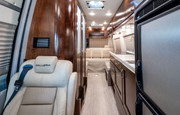
What you can not see in my photo is an opening porthole over the sliding galley. There is one on the starboard side also.
Ray
Which brings up my next point - is there a way to choose to make the picture display a little larger inside the post? Some of us can't see that tiny picture too good. And it appears you turned off the other feature that allowed us to post pictures the old way? Can we still have the old way AND the new way? (Or is that not allowed?)
BOAT wrote: ↑Wed Dec 11, 2019 2:13 pmWhich brings up my next point - is there a way to choose to make the picture display a little larger inside the post? Some of us can't see that tiny picture too good. And it appears you turned off the other feature that allowed us to post pictures the old way? Can we still have the old way AND the new way? (Or is that not allowed?)
Click on the thumbnail. One I left "full size" and the other I reduced to 640 x 480 before picking the photo. You have to pick size change before selecting photo, because it creates the link when you pick it and there's no chance to change if after.
BOAT wrote: ↑Wed Dec 11, 2019 2:54 pm
Why do you have a seat for a third passenger? Sprinter vans are supposed to be two person operations.
Two reasons. One is that it gives a place for the backseat driver to sit that's not the front seat. Muuuuuch better ride that way. The other is that I wanted to be able to take short trips with distant family in two, hence it being a 6-seater.
On the subject of photos, if you look at the two pics I put up in the other thread, they're full sized. I used that hosting site directly, before I knew it was a feature of this web site, though I found that link when I did a preview. There were direct links to both thumbnails and actual sized photos.
But the on-site link is great. I think it's a great addition.
All right, lets give this a try - I should at least use updated pictures of "WINDOW TRIM" (has got to be the silliest topic ever)
Wait, what? Did I say that? Anyways:
Oh YAY! "Dat works great!"
Okay, and now an example of the NEW way:
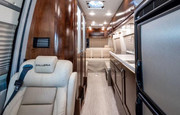
Okay Russ! You did it! Very nice! So as you can see in the second picture it does display on the post in a small size (and that does save space on the forum) and then for guys like me that don't see so good you can click the picture and view it in the host site.
Tanks greatly Russ!
(P.S. - if you look at the second picture you can see why I might want to post that in full size on the forum - it's hard to see the details I am pointing at but enlarged the dirty stained spots show right up - those dirty stained spots are the subject of a mod I am starting on next week).
Photos are not housed on this server, so either way makes no impact on storage here. I don't really like the thumbnail view, but I do like the ease of uploading and creating a link.
So us the "Add image to post" at the bottom of this box and then just edit out the URL tags.





 Did I say that? Anyways:

