Page 1 of 2
Chart Navigator
Posted: Tue Jan 17, 2006 5:44 pm
by Mark Prouty
Chart Navigator
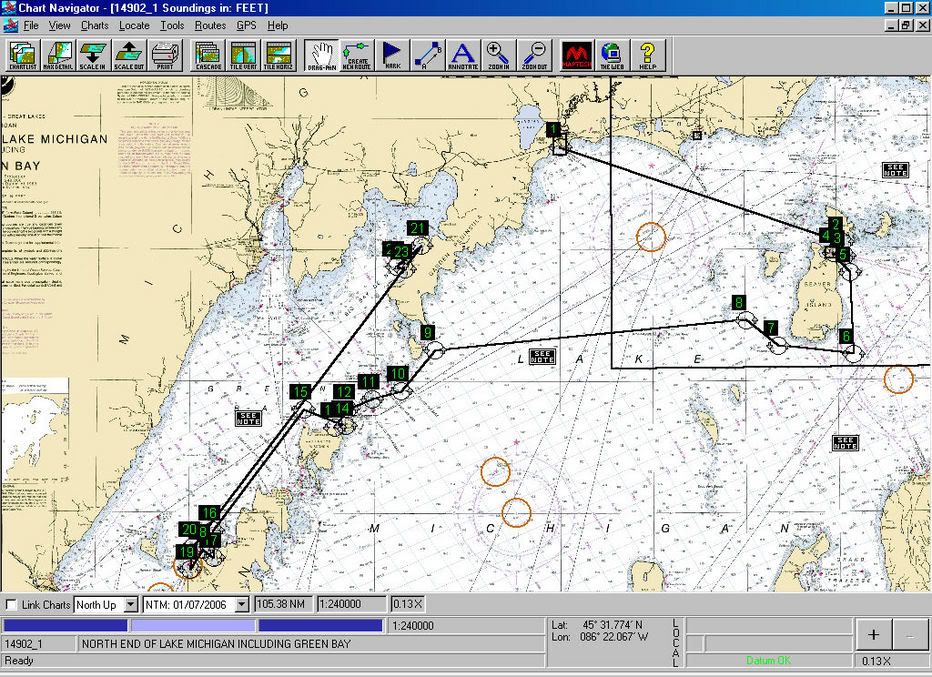

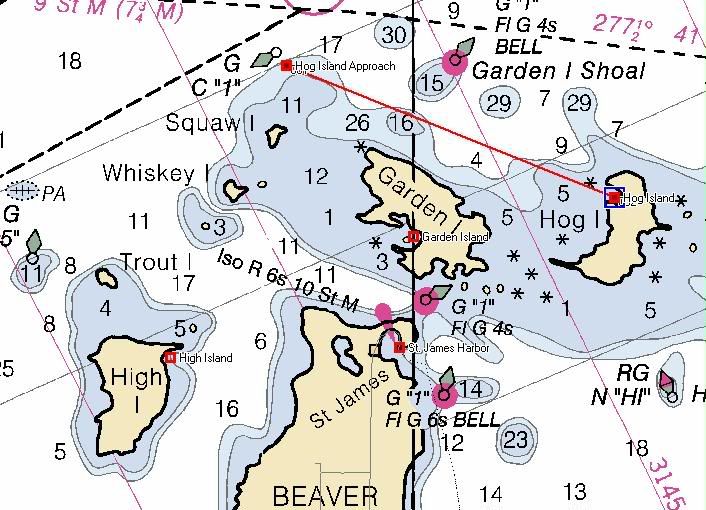
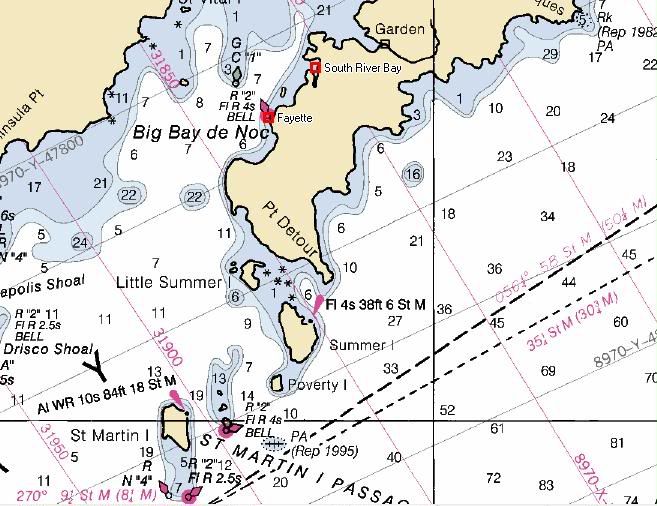
I picked this up from one of Scott's posts. I want it but it is too pricey at $499.95. Is it as good as it looks? Can you get it for a more reasonable price?
Posted: Tue Jan 17, 2006 6:03 pm
by Scott
The
full demo is available through links at the NOAA website, The Rastor maps are free.
Ther are 8 or 10 chart programs with free trials and a couple with unlimited demo's on the net. The problem with software is regardless of how cool it is if you cant get it to communicate with your boat hardware its not worth the price. Even free.
NOAA Chart link
Map Tech Chart Navigator Demo Link
Posted: Tue Jan 17, 2006 6:10 pm
by Moe
Since Maptech's exclusive agreement with NOAA ended last summer, Maptech is giving away
free raster charts (RNCs). Notice that Maptech bundles them in areas they sell as chart kits. They do not offer the Great Lakes chart kits as free bundles, because those contain other than NOAA charts, i.e. Canadian charts. The same must be true for Alaska, but I don't know why they don't offer the Hawaii and US Virgin Island bundles. At any rate, if you know the chart numbers of NOAA charts of the GL, Hawaii, and Alaska, you can download them individually from MapTech.
You can also download the raster charts free from NOAA
here. The website builds bundles on the fly based on charts you've checked off. You can wind up with some pretty huge ZIP files from here.
At any rate, the bundles from MapTech and NOAA created a different and incompatible directory structure when you unpack them on your computer, but you can move things around.
You can also download what NOAA vector (ENC) charts there are
here.
I don't know of free sources for the topo, contour, and 3-D maps included in the Chart Navigator Pro package, but perhaps others here do. Sure wouldn't surprise me if Duane Dunn has the source.
Of course, you'll have to obtain software to use these charts.
Having downloaded most of the free RNCs, I can testify it's a LOT of work and that $449 doesn't look so expensive when you consider the amount of your time involved.
Posted: Tue Jan 17, 2006 6:18 pm
by Scott
I dont know Moe. Took me all of 10 minutes to download the charts for the midwest mac trip and the software to run them with. I even downloaded the associated fine detail charts for harbors and bays.
I love broadband.!!!
Posted: Tue Jan 17, 2006 7:56 pm
by Idle Time
what is the software you need to run them.
Posted: Wed Jan 18, 2006 2:57 am
by Scott
Click on the link in my previous post and it will take you directly to the maptech Navigator Demo Download page.
Posted: Wed Jan 18, 2006 9:16 am
by Theo
Pretty cool guys. I know that the NOAA charts are free to download but always ended up with unreadable junk on my computer. I suspect it is beacuase I did not have the propper software to read the charts.
Can anyone translate the instructions on the NOAA website? It looks like you can pretty much create custom charts if you know how. I simply do not know enough about stuff like layers, file formats, etc. to get it to work.
I think this is a great trip planning resource. Any more info?
Posted: Wed Jan 18, 2006 1:39 pm
by Scott
This is a similar program. It is
Raymarine Raytech Navigator. Im just guessing but I think it is a Maptech product.
It is very similar to Maptech navigator except it scrolls way quicker.
It is layed out like my chartplotter and will act as a repeater for all of my seatalk instrumentation. It will work for NMEA units as well. Can be used at the Nav station and all info uploaded to the chartplotter via the Raymarine pc interface.
To get a better look at the photo, right click it ans select "view image"
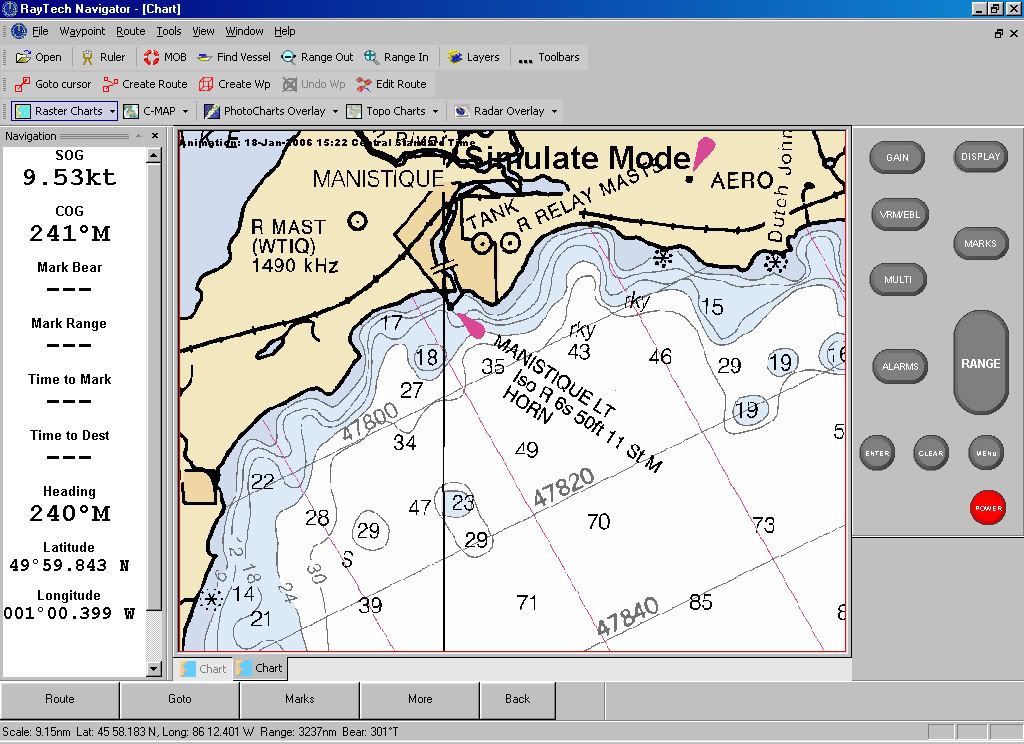
Slightly more expensive than Maptech software but it has a realtime boat cursor and the left status screen is easier to read than the maptech software. With an internet connection (cell) it will download weather, current and tidal info and layer it on the chart. As well as layer radar info and all the other bells and whistles.
Pretty cool software, RAymarine offers a useable crippleware version, and best for last, it has a simulation mode for practice
Chart Navigator
Posted: Wed Jan 18, 2006 3:08 pm
by Tahoe Jack
You should check out another alternate....Fugawi Marine...
http://www.fugawi.com/docs/navframe.html I use this on a laptop, and friends use it on hand-helds. They too have a free demo. Don't get lost.

Jack
Posted: Wed Jan 18, 2006 11:22 pm
by Duane Dunn, Allegro
Having tried almost every charting program out there I recommend the following. You can get everything you need for under $100 and now that the charts are free you can't go wrong.
http://www.memory-map.com/
(Great Laptop and PPC software)
http://www.oziexplorer.com/
(Laptop and PPC software)
http://www.fugawi.com/
(Laptop, PPC and Palm software)
I've used memory map for years on my laptop and on my Pocket PC. It's my current navigation product on the boat. For a while I used Ozi because it did a better job on working with my old Lowrance GPS wired up in the boat, but since I got my newest PPC which has a fantastic VGA resolution (640x480) screen and Bluetooth, I don't even mess with the cables any more. I just fire up the Bluetooth GPS and it keeps the position on the PPC current no matter where I take it on board. While the Lowrance is a good GPS its main duty is to drive the autopilot and serve as a depth sounder. I loaded a large set of general waypoints into it from OZI a few years back and am able to just connect the dots as needed for the pilot.
A far as Topo's go there are many government sources where you can get all you need for free. Sometimes the free ones are more difficult to use, but if you've got more time than money you can get what you need for free.
Here is also a great in car PPC map software that I use. It has an amazing feature set, full point to point routing, under $100 as well.
http://www.pocketmap.com/navigator.html
Posted: Thu Jan 19, 2006 1:54 pm
by Scott
Ive had my Raytech software for 4 or 5 years so Ive already spent the $ might as well use it. I loaded it on a newer laptop and couldnt find the original case with the key to open all the functions.
Heres where the fun begins. I didnt register it when I bought it and I called Raymarine to see what I could do. After a few minutes of talking to the guy he found a 4 year old E-mail from me and took my # so he could talk to his supervisor and call me back.
5 mins later I get a call back and he asks me to fill out member info at his website and says thats good enough for them and makes me promise to register my key when I get it, then promises to e-mail it to me.
30 mins later my key shows up with info on how to nav their site to an upgraded version of the software I own. It even works better.
This may sound like an ad for raymarine and I know a few members of the board dont like the proprietary com protocol, and apparently the price is rape, but I call that a company that understands customer service. WOW
Posted: Thu Jan 19, 2006 4:19 pm
by Catigale
Scott - I agree they earned their money on that one....Service is a rare bird to find nowadays,and they were deserving of your post I feel.
I went the Garmin route and bought Blue Chart when I did a prolonged Cape Cod Cruise last summer - while I might have saved the $100 for the chart by doing the uploading of software etc. I spent about 5 minutes loading the Blue Chart onto the PC, then had the charts ported over to the GPS in a flash. The Admiral liked the look and feel and considering I was taking her out of sight of land for the first time that was worth it in my book.
Posted: Fri Feb 10, 2006 5:01 am
by Mark Prouty
Posted: Fri Feb 10, 2006 6:33 pm
by Scott
Fah wout Mark. Congrats, good price too
Posted: Fri Feb 10, 2006 7:06 pm
by southwind
Yeh Mark I have the Fugawi ENC and love it. A few week back our local Power Squadron had a fellow in demoing all types of computer charting software. The one that impressed me most was Boat Cruiser by Navsim
http://www.navsim.com/products/boatcruiser2/ . The software has a night vision mode that even showed the appropriate navigation aid lighting with their accurate lighting sequences. It also supported AID (Universal Automatic Identification System) which will slowly become compulsory over the next several years. Has a library of arial pictures showing entrances to harbours erc. You can even add your own to the database. The screen had a nice large area on the side showing speed, depth, etc., and you can customize this to whatever you want to show there. It uses either raster or vector chars as well. If I did not have Fugawi I would have got this one.